
We’re proud to offer the best of the frozen aisle, from sustainable meat & seafood to easy, heat-and-eat meals. Here’s how to build your Frozen box on your desktop computer or the Metropolitan Market app.
HED: BUILD YOUR FROZEN BOX - ON A DESKTOP COMPUTER
1. From the homepage, select Browse → Frozen Foods
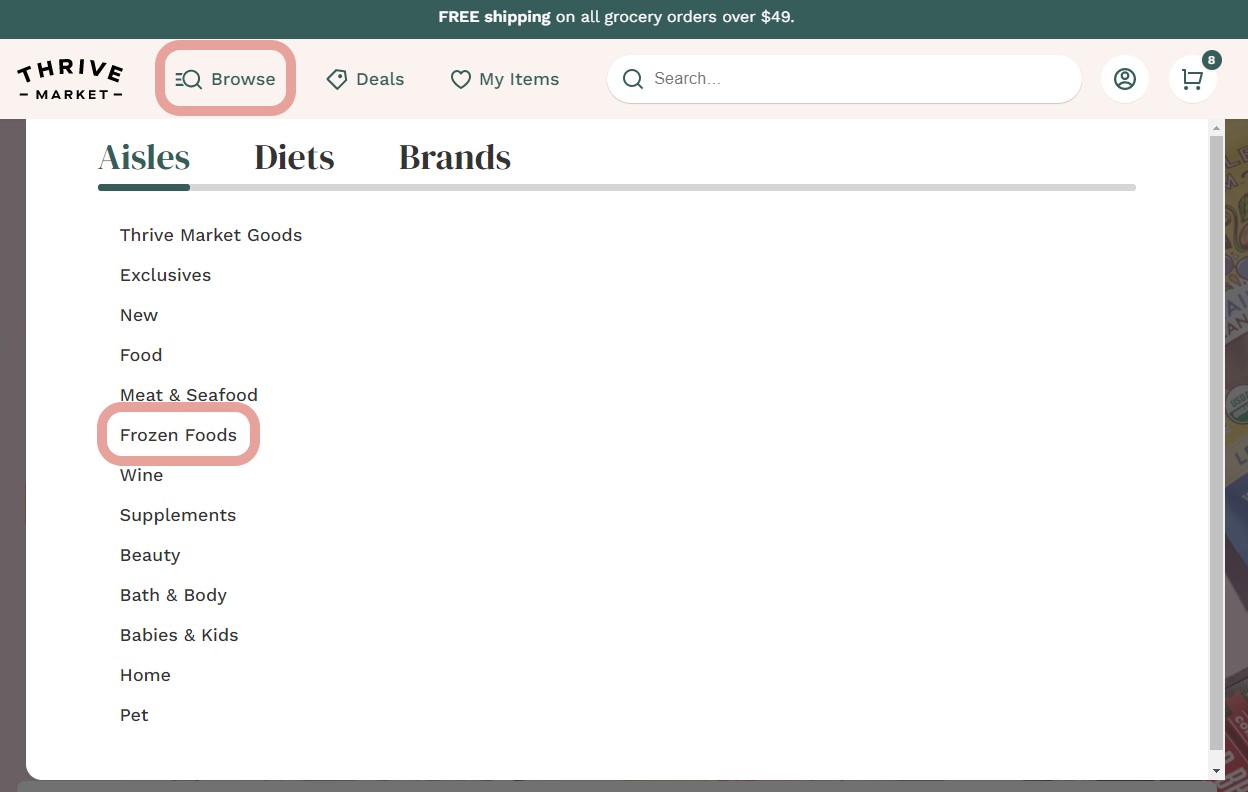
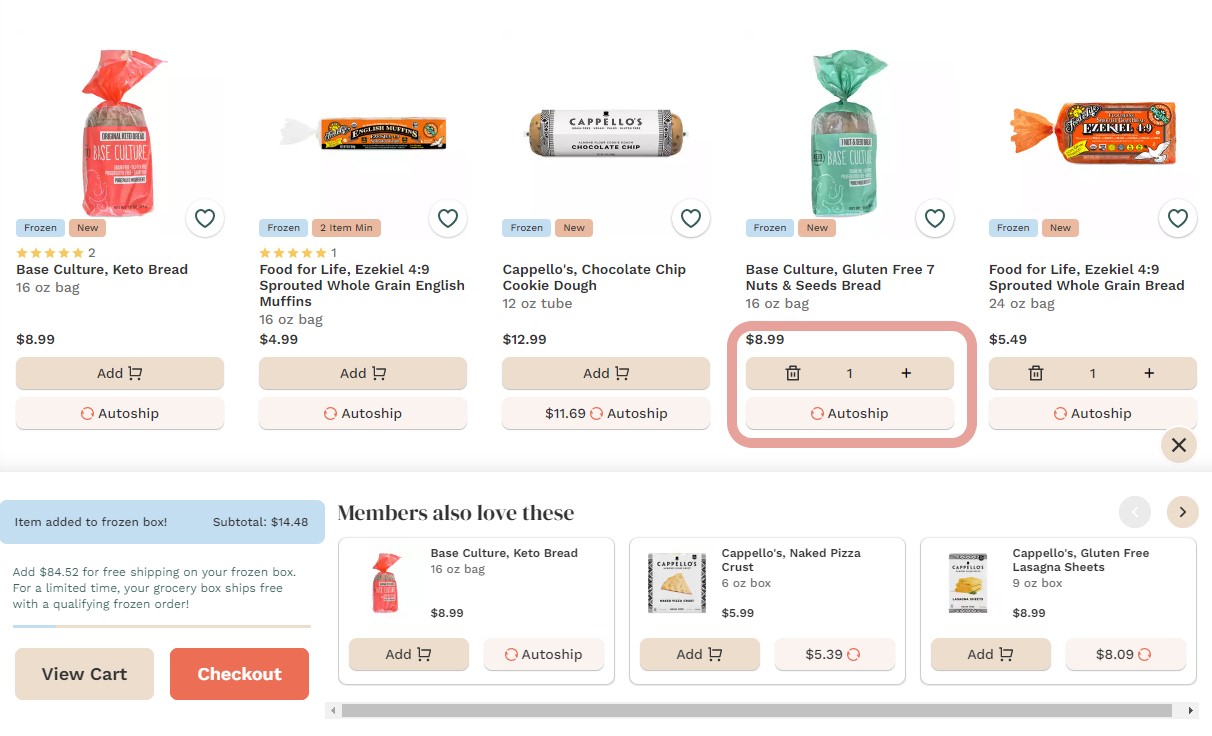
2. Shop a la carte, adding individual packs of meat & seafood, meals, and more freezer favorites to your Frozen box
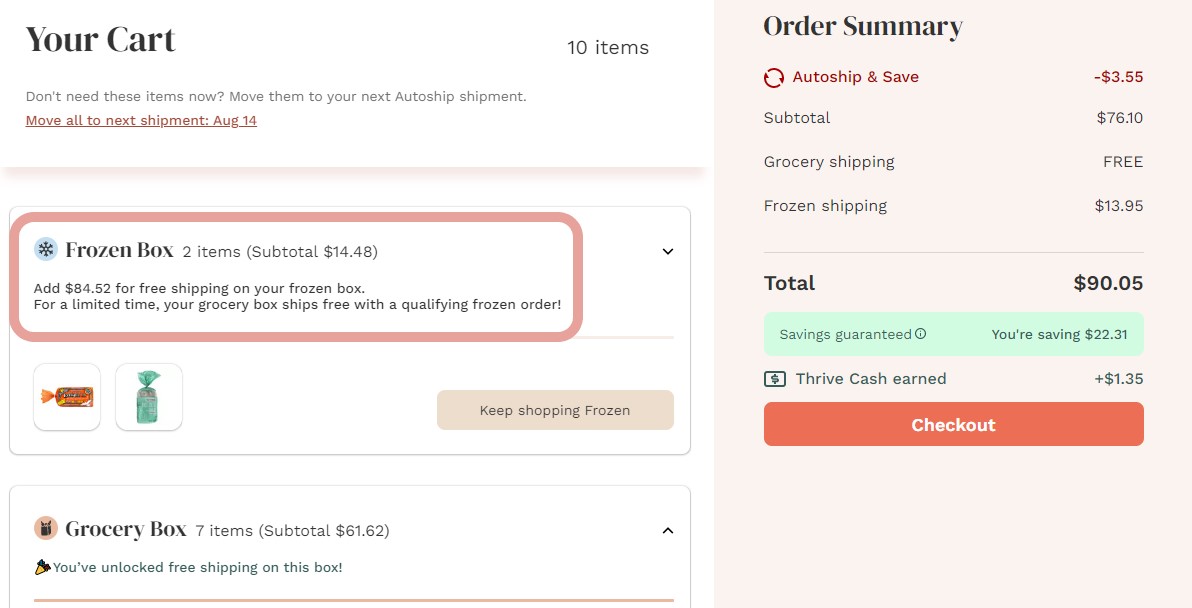
3. Check out all together (Frozen, Grocery, and Wine), then get ready for your Frozen box
HED: BUILD YOUR OWN FROZEN BOX - USING THE THRIVE MARKET APP
1. Open the app
2. From the bottom menu options, tap Browse → Frozen Foods
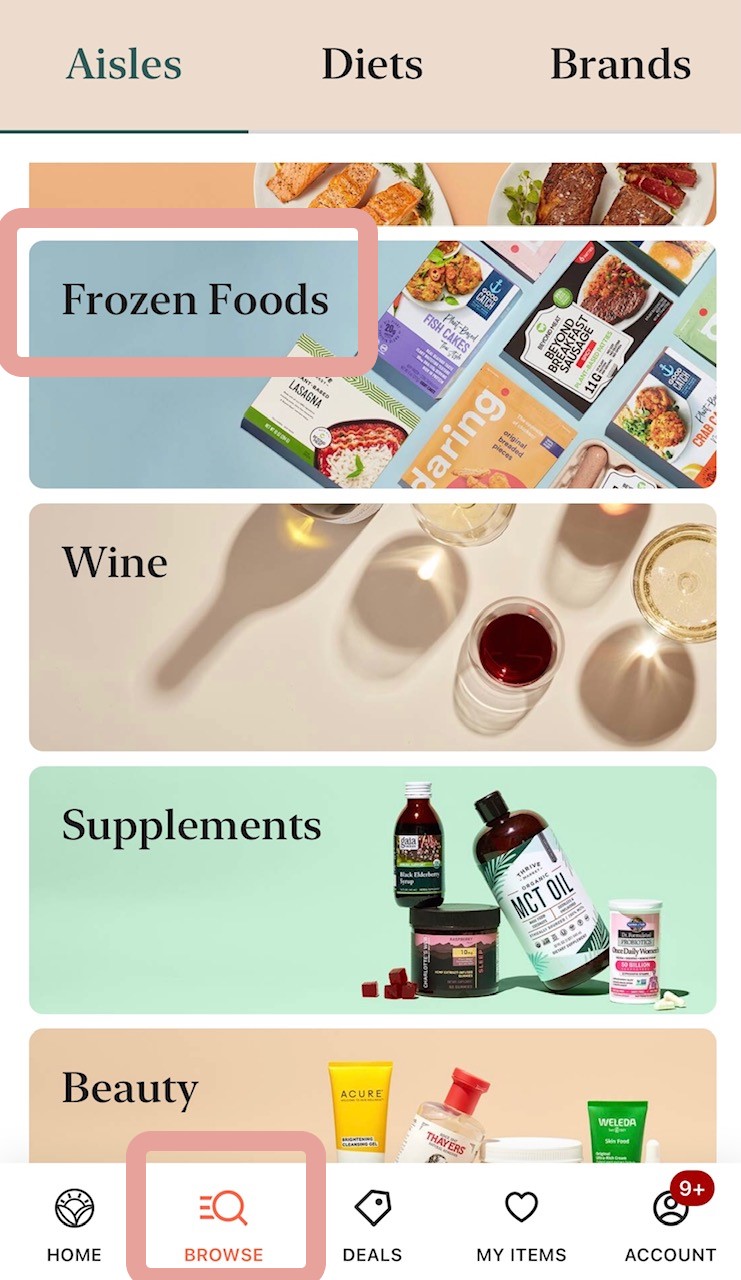
3. Shop a la carte, adding individual packs of meat & seafood, frozen meals, and more freezer favorites to your Frozen box
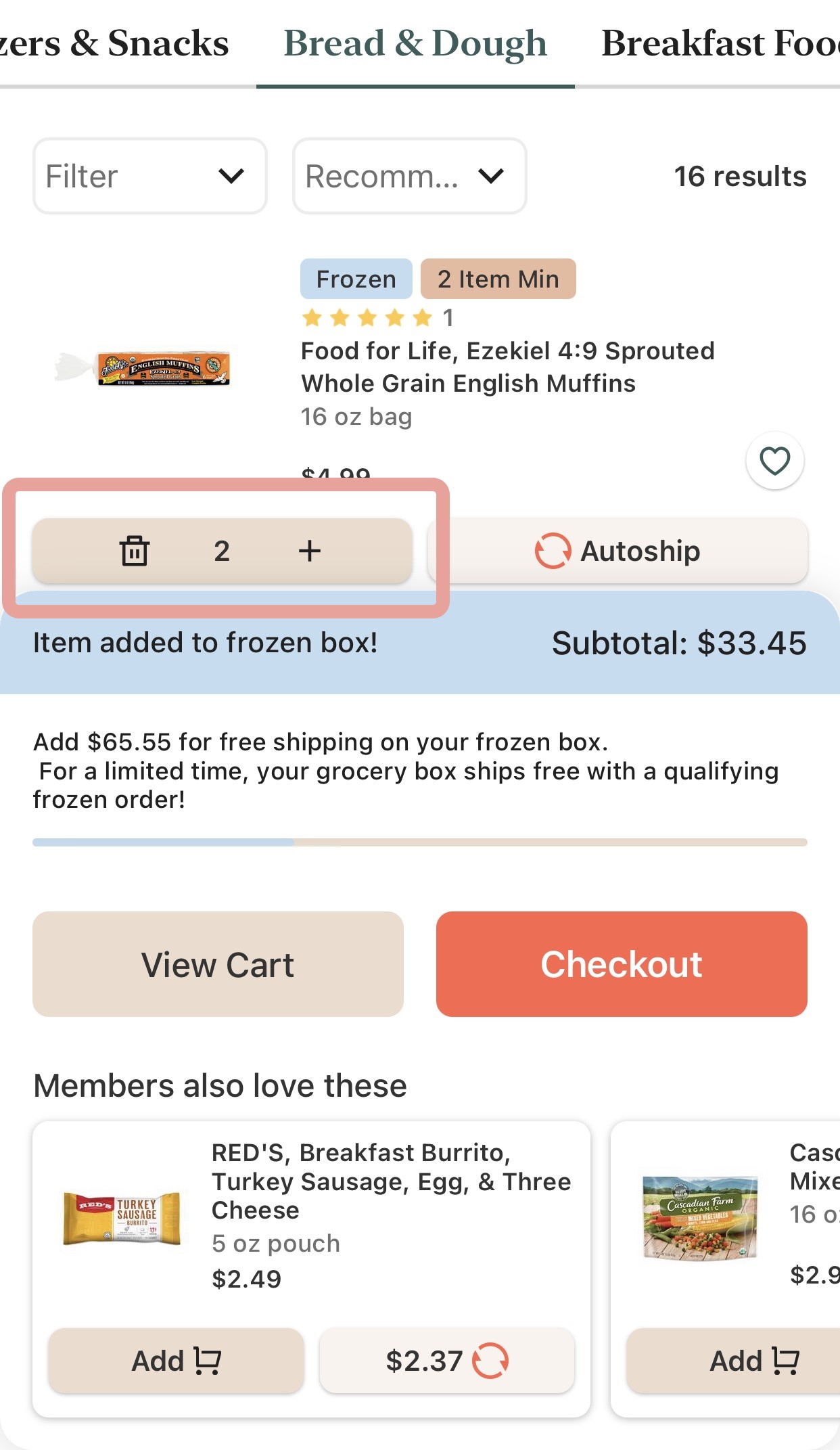
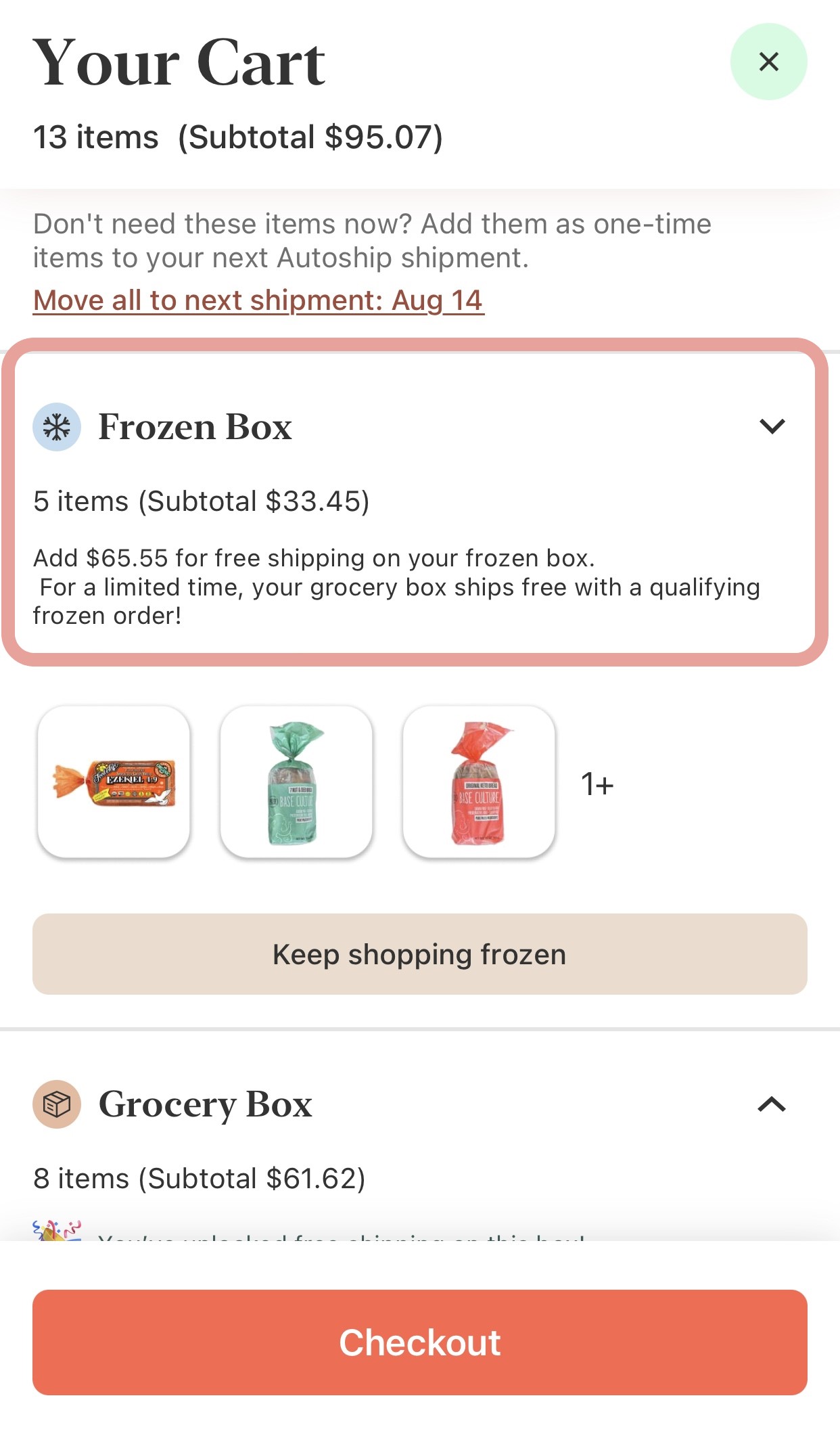
4. Check out all together (Frozen, Grocery, and Wine), then get ready for your Frozen box
Comments
0 comments
Article is closed for comments.