
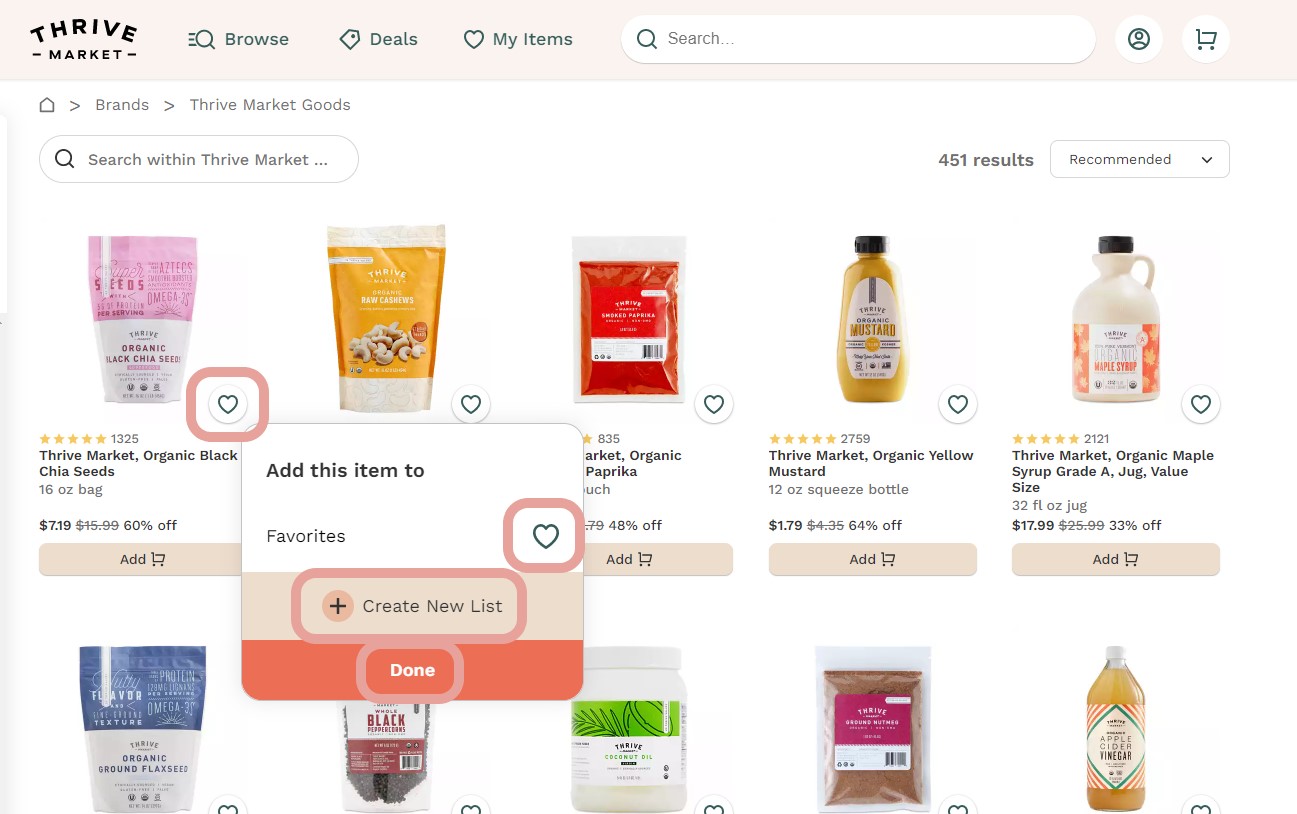
To add an item to your shopping list, you can visit any Aisle or Diet section of our website. Next to each item, you will see a heart icon in a circle. Click this and you'll be given the option to select an existing list to add the item to, or create a new list. Then click "Done" to save it.
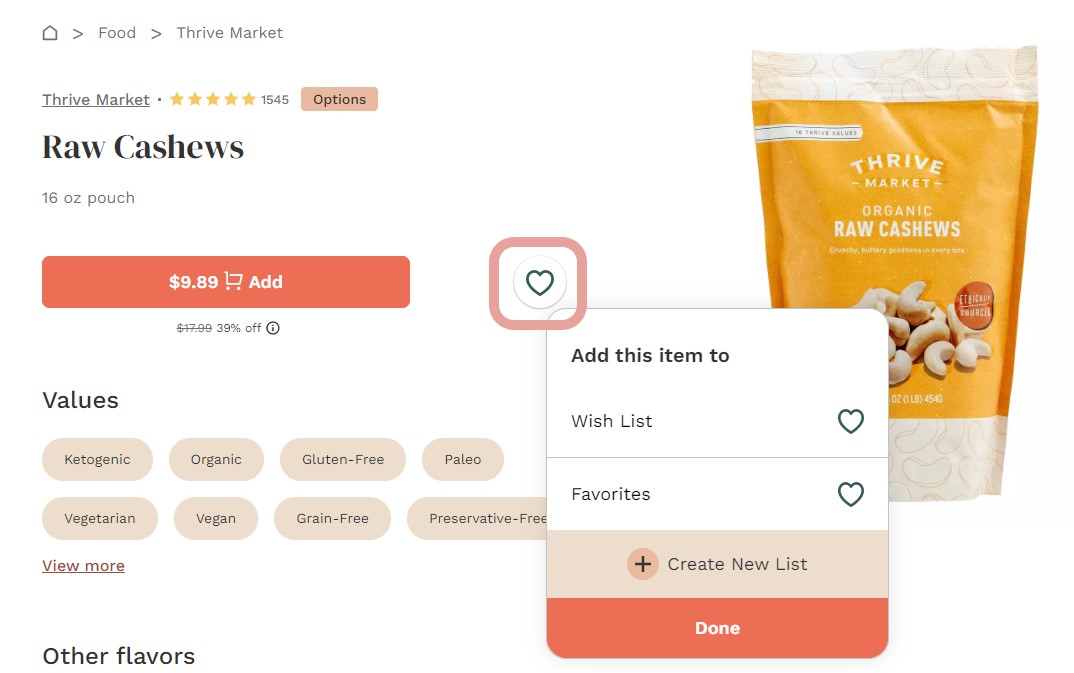
You will also see this same heart icon when you click on a product. Click it to add items to your lists.
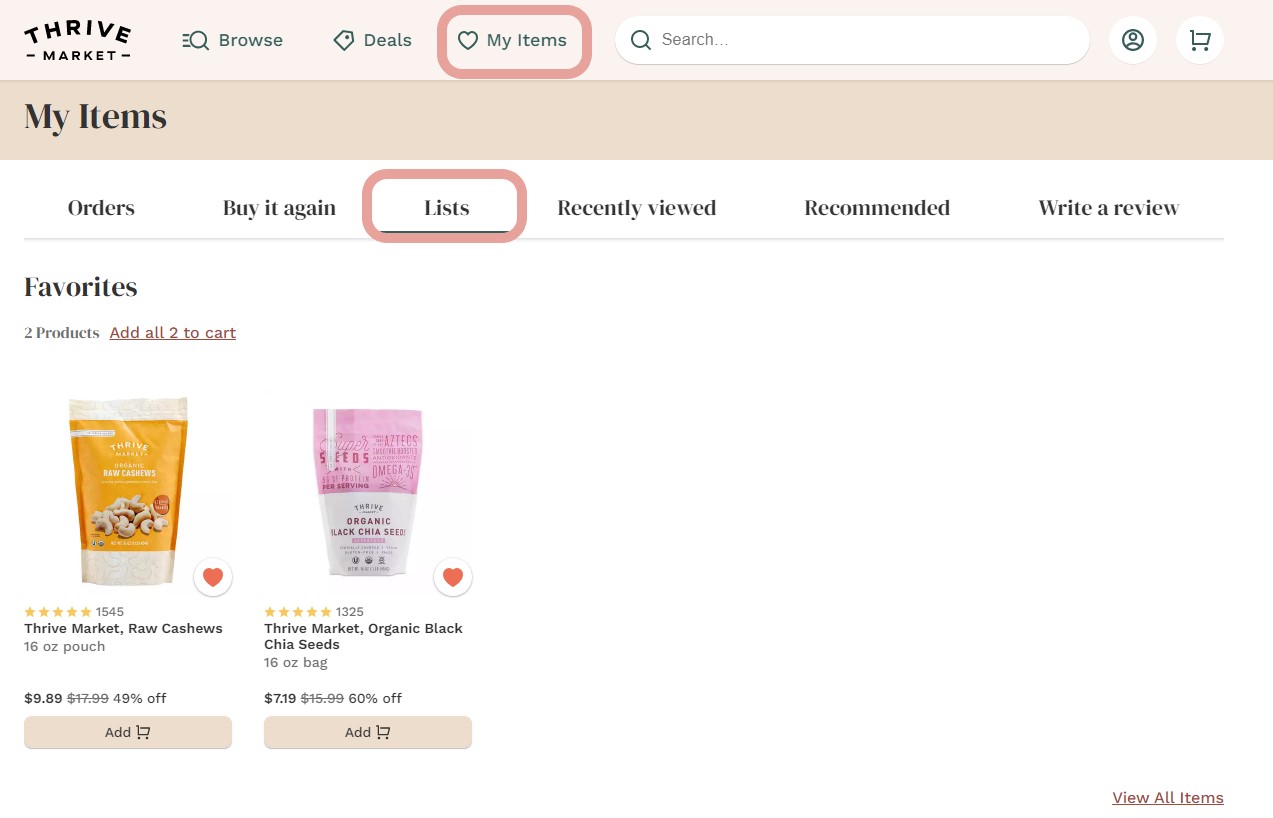
Once added, you will be able to see your product listed on the shopping list page that you selected.
P.S. If you need help selecting the right products to fit your diet or lifestyle, you're in the right place! We have a team of Metropolitan Market Guides that can walk you through the shopping experience and offer recommendations for your unique needs.
How would you like your Metropolitan Market Guide to get in touch with you? If you prefer phone support, use this link to schedule the best time for your schedule! If you prefer email support, please complete this form and a member of our Metropolitan Market Guides team will reach out.
P.S.S. Let us know in the "Description" field any additional details or requests you may have. Some of the things our team loves to help with are finding you staples for a lifestyle change, meal planning, picking out skincare, choosing a case of wine, assisting with creating gift boxes for loved ones. and much more!
Comments
0 comments
Article is closed for comments.